Adobe Firefly: Transforming Design with AI Powered Precision

TL;DR
Adobe Firefly is Adobe's generative AI for image and video, built to slot into a real design workflow rather than replace it. It powers Generative Fill, Generative Match style references, negative prompts, and Firefly Video, and is wired into Photoshop and Illustrator via Creative Cloud. Outputs from non-beta features are commercially usable. The catches: a credit-limited free tier and a roughly 4-megapixel (2000x2000) generation ceiling, so it is photorealism-first, not abstract art.
Adobe Firefly AI stands out in the AI-driven creative landscape for its precision and synergy with Adobe's suite. It is not just a tool for image generation but an extension for professional design workflows, merging AI ingenuity with the meticulousness of manual editing.

Crafting the Perfect Prompt
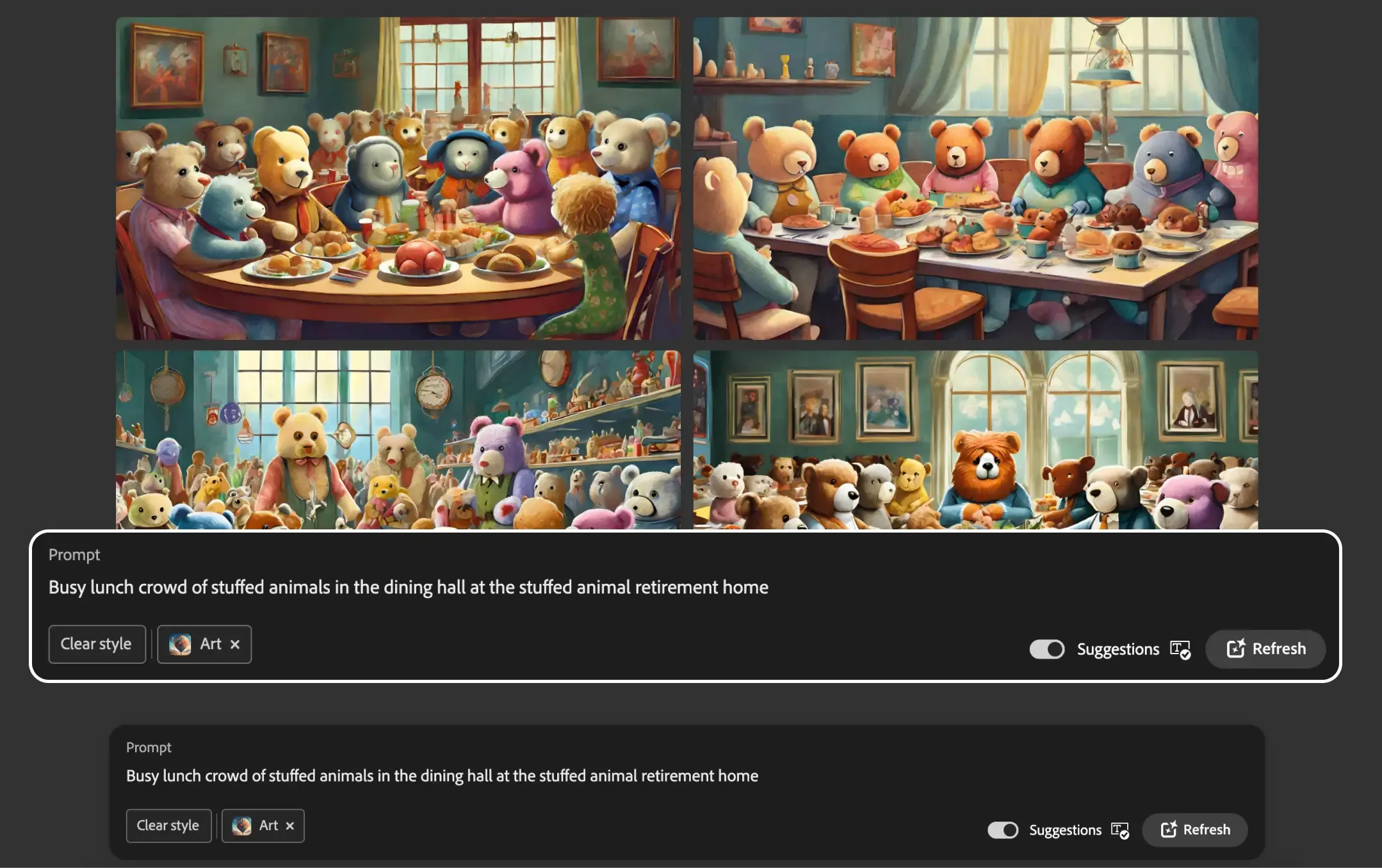
Creating the ideal prompt in Adobe Firefly Generative AI is crucial. A detailed description can yield surprisingly accurate results, and using a style reference image can guide the AI towards your desired outcome. Leverage the gallery of curated styles, or upload an image that embodies your vision, to set a style for your creation.
Features to Focus on
- Generative Fill: A context-aware feature to add or remove image parts.
- Generative Match: Maintains style consistency using a reference image.
- Photo Settings: Offers camera-like controls for more natural effects.
- Advanced Settings: Excludes unwanted elements through negative prompts.
- Commercial Use: With Adobe Firefly now out of beta, creations are eligible for commercial use.
- Adobe Suite Integration: Enhance AI-generated content using Photoshop and Illustrator for professional-grade results.
- Adobe Firefly for Video: Exploring new horizons in video editing with AI assistance.
Practical Applications
Firefly Adobe shines in various scenarios:
- Generating high-resolution, print-quality images.
- Styling consistency for brand visuals.
- Crafting lifelike portraits with intricate details.
Leveraging Community Insights
Harness the collective knowledge of the Adobe AI Firefly community by analyzing shared prompts and outcomes, refining your approach to prompt engineering for more effective results.
Understanding Limitations
While Adobe Firefly excels at photorealistic imagery, it may not be the best tool for abstract art that defies real-world logic or for resolutions beyond 4 megapixels, as per the latest version.
Pricing Model Insights
- Adobe Firefly Cost: The Free Tier offers basic access with some limitations, such as watermarking.
- Subscription Tier: Full feature access, high-resolution outputs, and inclusion in Adobe's Creative Cloud subscript.
Conclusion
Adobe Firefly is an indispensable tool for marketers and creators, marrying AI's innovation with the control and finesse of professional photography. It's designed to meet the dynamic needs of today's digital landscape, enabling the production of visuals that captivate and engage audiences.
Frequently Asked Questions
Can you use Adobe Firefly images commercially?
Yes. Outputs from Firefly features without the beta label can be used in your commercial projects, and Adobe trains its models on licensed Adobe Stock and public-domain content for that reason. Beta-feature outputs are usually allowed too, but they are not covered by Adobe's IP indemnification while still in beta.
Is Adobe Firefly free, and what does the free version limit?
There is a free tier, but it runs on a monthly allotment of generative credits that expire about a month after they are first used. Once you exhaust your standard generations, you are throttled or limited until they reset, and premium features can be gated behind a paid plan. Full high-resolution access lives in the paid Firefly and Creative Cloud plans.
What is the maximum resolution Adobe Firefly can generate?
Firefly's web text-to-image generations top out around 4 megapixels, which is 2000x2000 pixels for a square image. If you need a larger print-quality file, you take the result into Generative Fill or Generative Expand and grow the canvas from there. That ceiling is why Firefly leans toward photorealistic imagery over giant abstract pieces.
How does Adobe Firefly work with Photoshop and Illustrator?
Firefly is the engine behind generative tools inside Adobe's apps, not a separate silo. In Photoshop it powers Generative Fill for context-aware adding and removing of image parts; in Illustrator it drives features like Generative Recolor and Text to Pattern. Generations across these Creative Cloud apps draw from the same shared pool of generative credits.
What is Generative Match in Adobe Firefly?
Generative Match keeps a consistent visual style across new images by learning from a reference you provide. You upload an image (or pick one from Adobe's curated style gallery), and Firefly applies its colors, textures, and overall look to whatever your prompt generates. A style-strength slider lets you dial how heavily that reference influences the output, which is handy for keeping brand visuals on-look.
Sources
- Adobe Firefly FAQ (helpx) - commercial use of non-beta vs beta feature outputs
- Adobe Firefly Generative AI approach (commercially safe, licensed + public-domain training data)
- Generative credits FAQ (Creative Cloud) - free-tier credit allocation and one-month expiry
- Adobe Firefly plans (free vs paid Firefly and Creative Cloud tiers)
- Adobe Firefly technical requirements (helpx) - maximum generated image dimensions
- Use Generative Fill (helpx) - context-aware add/remove of image parts in Photoshop and Firefly
- Adobe Firefly Generative Match (image style transfer / style reference feature)
- Adobe news - Firefly integrated into Creative Cloud (Photoshop, Illustrator, Express)
- Adobe news - Firefly Video Model launch (text-to-video, image-to-video)
Keep reading
The archive →Deep Dream Generator: Mastering AI Artistry - A Full Guide
Explore AI-driven art with Deep Dream Generator. This guide covers its neural network tech, starting steps, features like modifiers, AI models, quality settings, and use cases like digital art and marketing.
FUTURE OF AIHow do AI Content Detectors Work
Unsure. if the content is human-written or AI-generated? Explore the world of AI content detection tools, how they use advanced techniques like analyzing context, language, and even emotional depth to uncover the truth. Learn how AI content detection can help you navigate the ethical and quality landscape of the internet.
FUTURE OF AIIdeogram AI: The Future of Text-Integrated Design
Discover the power of Ideogram AI, the leading AI image creator of 2023, for seamless text and image integration. Explore its user-friendly interface, diverse applications, and innovative features like text embedding and Remix options. Ideal for graphic design, digital art, and more.
From The Cut
All takes →- Best AI for Marketing in 2026: The Operator Stack for Lean Teams
- Best AI for Research in 2026: The Honest Operator Ranking
- Best AI for Writing in 2026: The Honest Operator Ranking
- Best Free AI Tools in 2026: What You Can Actually Build Without Paying
- ChatGPT API Pricing in 2026: What You'll Actually Pay (And How to Halve It)
- ChatGPT Pro vs Plus in 2026: Is the Higher Tier Actually Worth It?